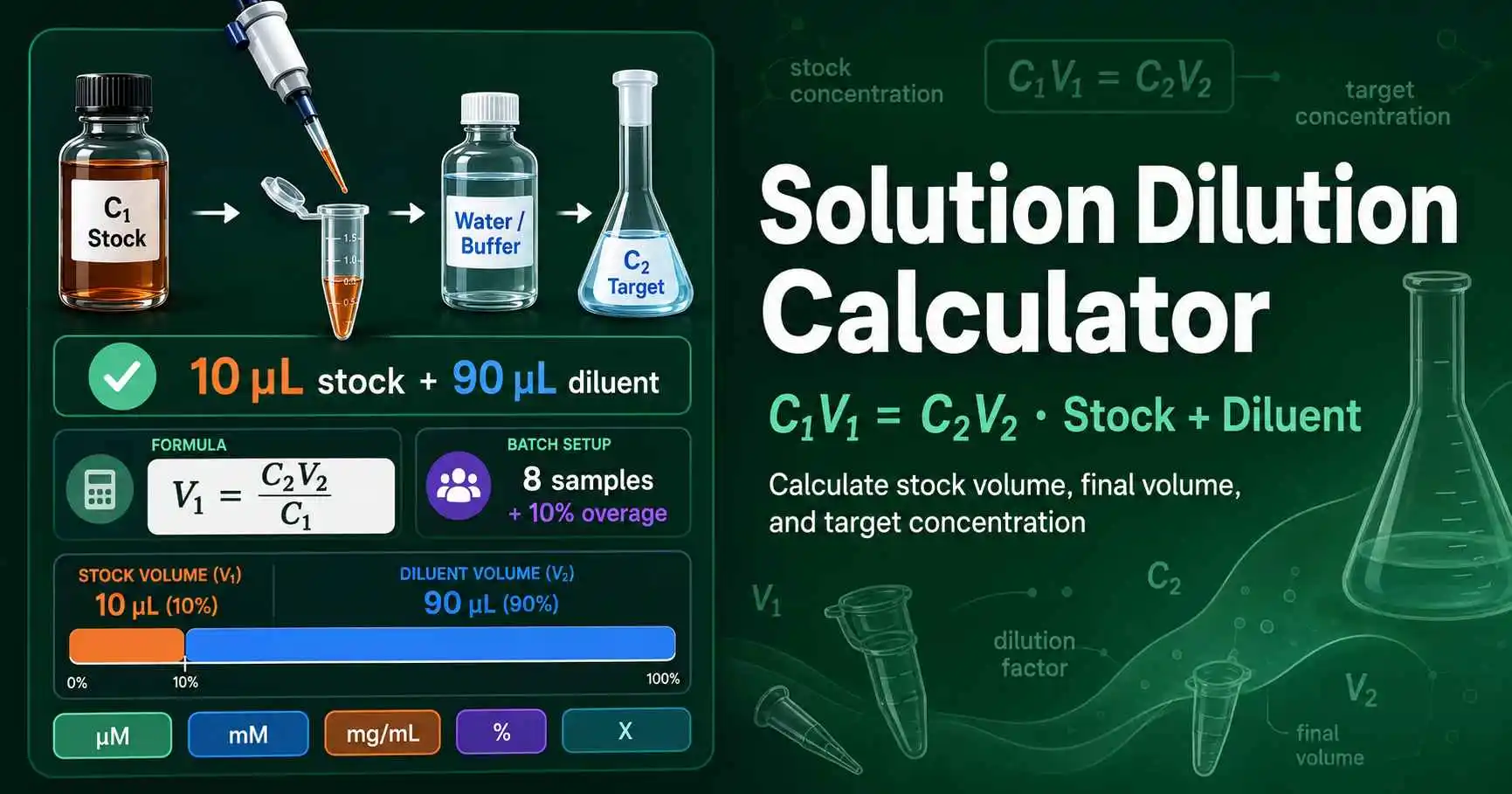
Solution Dilution Calculator

Use C₁V₁ = C₂V₂ to calculate stock volume, diluent volume, dilution factor, and batch totals. The tool works for molarity, mass concentration, percent solutions, and fold-concentrated stocks.

Calculate a C₁V₁ = C₂V₂ solution dilution

Enter stock concentration, target concentration, and final volume. Results update instantly, so you can adjust the setup before pipetting.

Start with a common solution dilution

Load a preset for primers, buffers, antibodies, or molar stocks. Then edit concentrations and volumes for your protocol.

Concentration and volume inputs

Use basic mode for V₁ from C₁V₁ = C₂V₂. Use advanced mode when you need to solve for final volume or a missing concentration.

Live dilution result

Prepare one sample from the top cards, or use the batch totals when you need multiple identical dilutions.

Add this stock volume

10 µL

Dilution factor: 10×

Stock V₁

10 µL

Diluent

90 µL

Final V₂

100 µL

Total stock volume

11 µL

Includes 1 sample and 10% overage.

Total diluent volume

99 µL

Add solvent, buffer, water, or media to bring each sample to the final volume.

Diagram showing a stock solution diluted with solvent to reach a target concentration using C1V1 equals C2V2.
Figure 1. A solution dilution keeps solute amount constant while solvent increases total volume. The diagram separates C₁, V₁, C₂, V₂, and diluent volume because each value controls the final concentration.

What C₁V₁ = C₂V₂ solves

C₁V₁ = C₂V₂ answers one question: how much stock solution contains the amount of solute needed in the final solution? C₁ means stock concentration. V₁ means the stock volume you transfer. C₂ means target concentration, and V₂ means final volume.

The equation works because dilution adds solvent without changing the amount of solute taken from the stock. Khan Academy describes this same dilution relationship as M₁V₁ = M₂V₂ for molarity and volume. Review the dilution equation.

Use the dilution ratio calculator when your protocol says 1:10 or 1:100. Use this page when your protocol gives stock and target concentrations.

Formula forms for common dilution problems

Solve stock volume

V₁ = (C₂ × V₂) ÷ C₁

Use this when you know stock, target, and final volume.

Solve final volume

V₂ = (C₁ × V₁) ÷ C₂

Use this when you already added a fixed stock volume.

Solve target concentration

C₂ = (C₁ × V₁) ÷ V₂

Use this when you know the stock volume and final volume.

Solve stock concentration

C₁ = (C₂ × V₂) ÷ V₁

Use this when you need to back-calculate stock strength.

What each input does

Each field maps to one part of the dilution equation. Use the table to choose the right mode before preparing primers, buffers, antibodies, dye stocks, or chemical working solutions.

Basic mode

Solves stock volume V₁ from C₁, C₂, and final volume V₂. This is the most common lab use.

Advanced mode

Solves V₁, V₂, C₂, or C₁ when one variable is missing from a problem set or protocol.

Concentration units

Converts compatible molar units or compatible mass-per-volume units before calculation.

Batch setup

Scales the same dilution across multiple samples and adds overage for pipetting loss.

Minimum pipette volume

Flags transfers that may create poor accuracy on common micropipettes.

CSV download

Exports the setup so you can paste it into a protocol, notebook, or worksheet.

Worked examples for real lab setups

Dilute a 100 µM primer to 10 µM

You need 100 µL of a 10 µM working primer from a 100 µM stock. Use V₁ = C₂V₂ ÷ C₁. The calculation gives V₁ = 10 × 100 ÷ 100 = 10 µL stock primer.

Add 90 µL nuclease-free water or TE buffer. If you later need molarity-to-mass conversion, use the ng/µL to nM calculator for DNA or RNA concentration work.

Prepare 50 mL of 1X buffer from 10X stock

Enter 10X as C₁, 1X as C₂, and 50 mL as V₂. The tool returns 5 mL stock buffer and 45 mL solvent. This creates the correct final volume and target fold concentration.

The same calculation works for 5X loading dye, 100X additives, and cell-culture supplements. Keep the stock and target units matched before you calculate.

Choose the right dilution workflow

Problem typeBest inputExample
Known stock and target concentrationC₁V₁ = C₂V₂100 µM to 10 µM
Protocol gives 1:10 or 1:100Dilution factor1:50 standard dilution
Many stepwise standardsSerial dilution planningSeven-point 10-fold curve

Accuracy checks before pipetting

Keep concentration units compatible. Convert molarity to molarity, mass concentration to mass concentration, percent to percent, and X-fold stocks to X-fold targets. Do not mix µM with ng/µL unless you calculate molecular weight first.

Avoid tiny transfers when possible. If the calculator returns less than 1 µL, prepare an intermediate dilution or increase final volume. The same rule improves qPCR standards, antibody stocks, and buffer additives.

Related dilution tools

Solution dilution questions

What does C1V1 = C2V2 mean?

C1V1 = C2V2 means the amount of solute stays constant during dilution. C1 is the stock concentration, V1 is the stock volume, C2 is the target concentration, and V2 is the final volume. You add solvent to lower the concentration, not to change the amount of solute taken from the stock. The calculator uses this equation to solve the missing value.

How do I calculate how much stock solution to use?

Use V1 = C2V2 ÷ C1. For example, a 100 µM stock diluted to 10 µM in 100 µL requires V1 = 10 × 100 ÷ 100 = 10 µL stock. Add 90 µL diluent to reach 100 µL final volume. The tool calculates both values live.

Can I use different concentration units for C1 and C2?

Yes, but the units must describe the same quantity type. You can mix M, mM, µM, and nM because they all describe molar concentration. You can also mix mg/mL, µg/mL, and ng/µL because they describe mass per volume. Do not mix molar concentration with mass concentration unless you first convert using molecular weight.

What is the difference between solution dilution and dilution ratio?

Solution dilution starts with stock and target concentrations, then calculates the needed stock volume. Dilution ratio starts with a ratio such as 1:10 or 1:100, then calculates stock and diluent volumes. Both workflows reduce concentration by adding diluent. Use the page that matches the information your protocol gives you.

Why does the tool warn about very small stock volumes?

Very small stock volumes create large pipetting error. A 0.5 µL transfer can shift concentration noticeably if the pipette or liquid handling technique varies. Prepare an intermediate dilution when the stock volume falls below your reliable pipetting range. The warning helps prevent bad standard curves and inconsistent reactions.

Can this calculator prepare 10X buffer to 1X?

Yes. Enter 10X as C1, 1X as C2, and the desired final volume as V2. A 50 mL final volume needs 5 mL of 10X stock and 45 mL solvent. The same method works for 5X loading dye, 100X additives, and other fold-concentration stocks.

How much overage should I add for multiple samples?

Use 5% to 10% overage for small batches and 10% to 15% for plate work or viscous solutions. Overage protects against liquid retained in pipette tips and tube walls. Do not add overage to each single sample separately. Prepare one batch total, mix it well, then dispense the required final volume into each tube or well.